
Quickstart
Authenticate and make your first request to the Certifier API
Introduction
Certifier API is a REST-styled interface, providing programmatic access to much of the data in the system. It provides predictable URLs for accessing resources, and uses built-in HTTP features to receive commands and return responses. This makes it easy to communicate from a wide variety of environments: command-line utilities, gadgets, and even the browser URL bar itself.
The API accepts JSON content in requests and returns JSON content in all of its responses, including errors. Only UTF-8 character encoding is supported for both requests and responses.
Authentication
Certifier API uses access tokens to authenticate requests. You can view and manage your access tokens in the Certifier Dashboard.
Your access tokens carry many privileges, so be sure to keep them secure! Do not share your secret access tokens in publicly accessible areas such as GitHub, client-side code, and so forth.
Authentication to the API is performed via HTTP Bearer Auth. Provide your access token in Authorization header with Bearer auth-scheme and Certifier-Version header:
Authorization: Bearer <TOKEN>
Certifier-Version: 2022-10-26
All API requests must be made over HTTPS. Calls made over plain HTTP will fail. API requests without authentication will also fail.
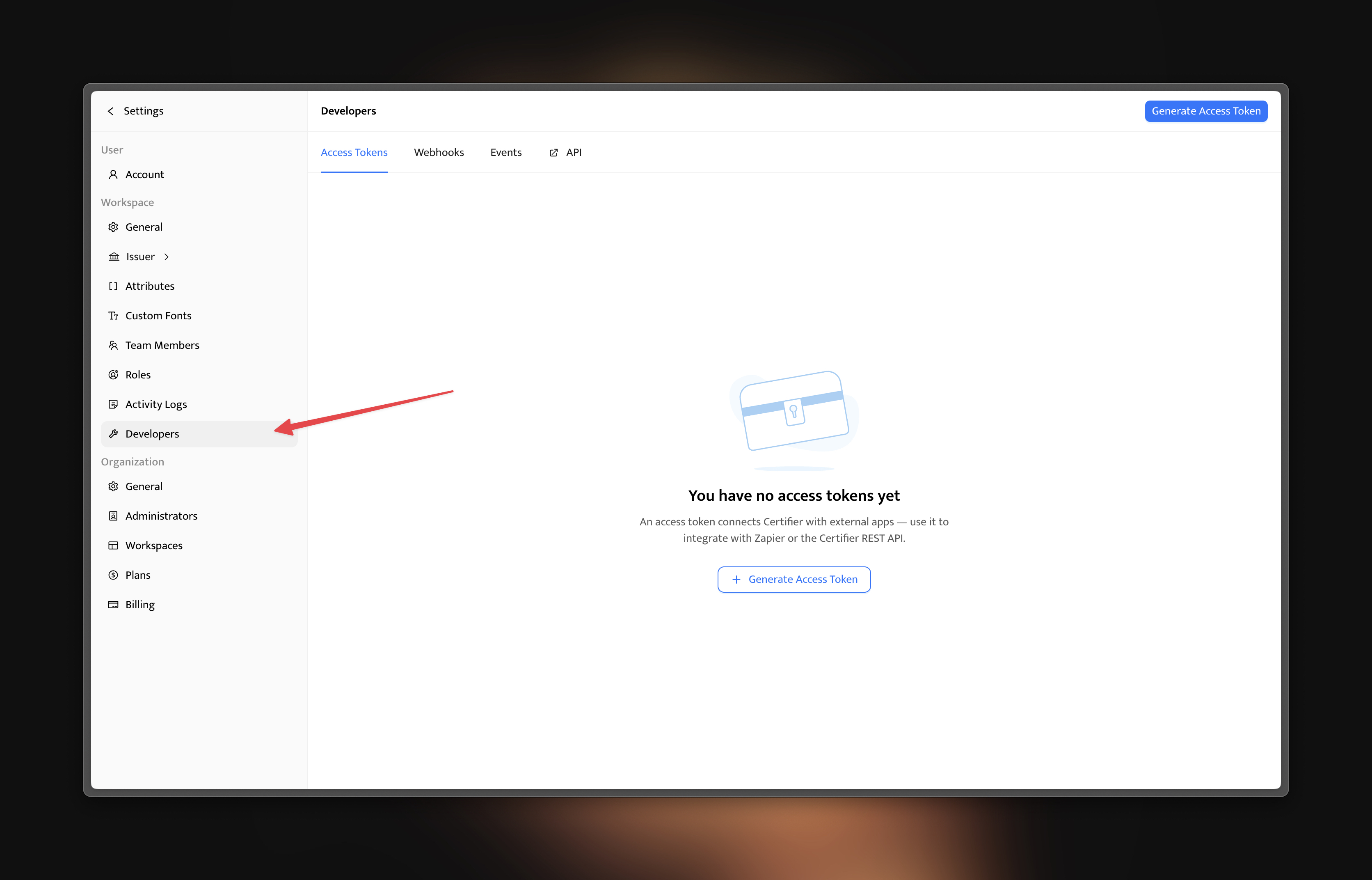
Access tokens can be created and managed from inside your account settings. Go to the Settings -> Developers -> Access Tokens and create an access token there.
Generate an Access Token
Access tokens are used to authenticate your API requests.
To generate a token:
1. Go to Settings → Developers
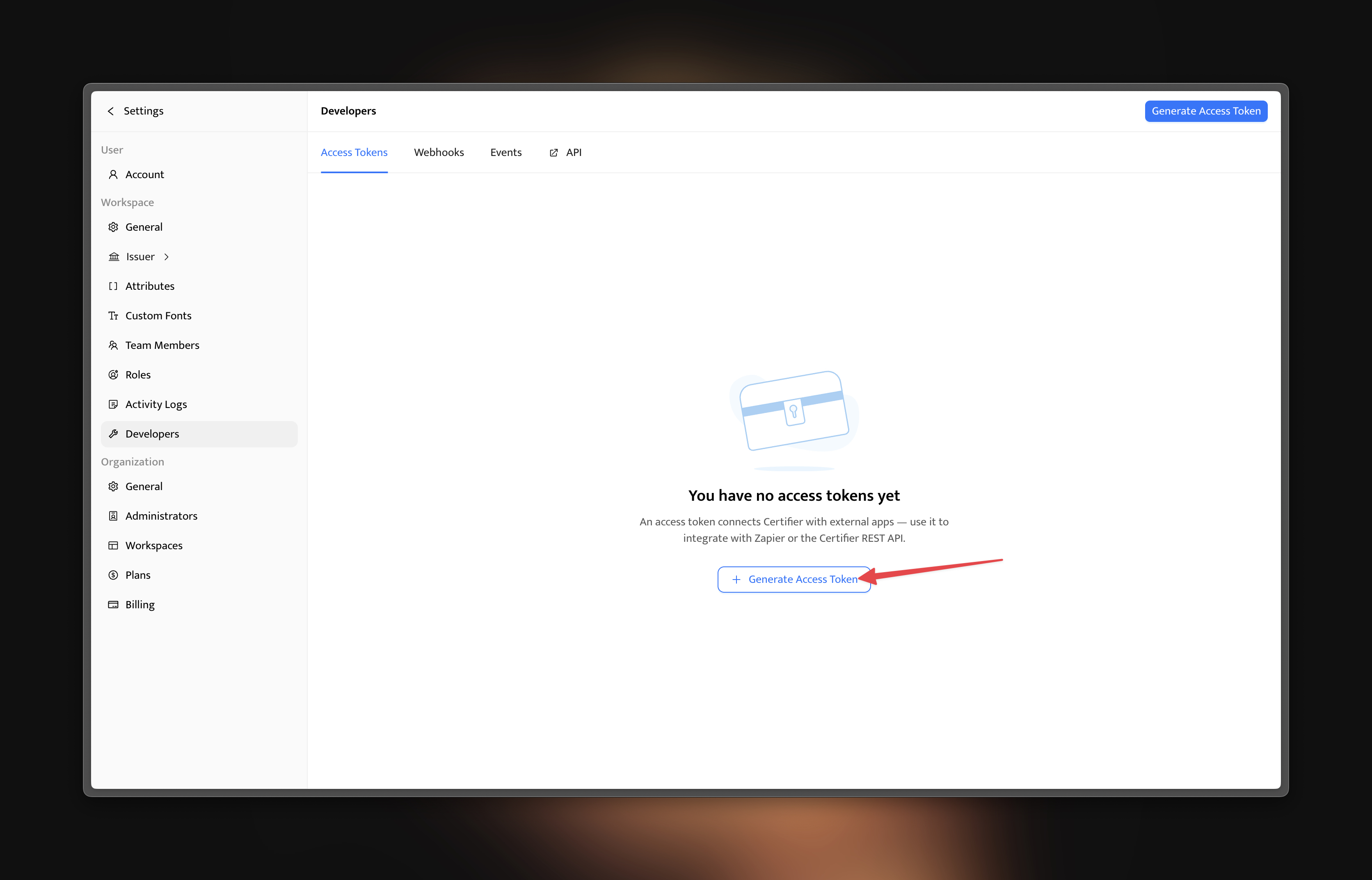
2. Click Generate Access Token
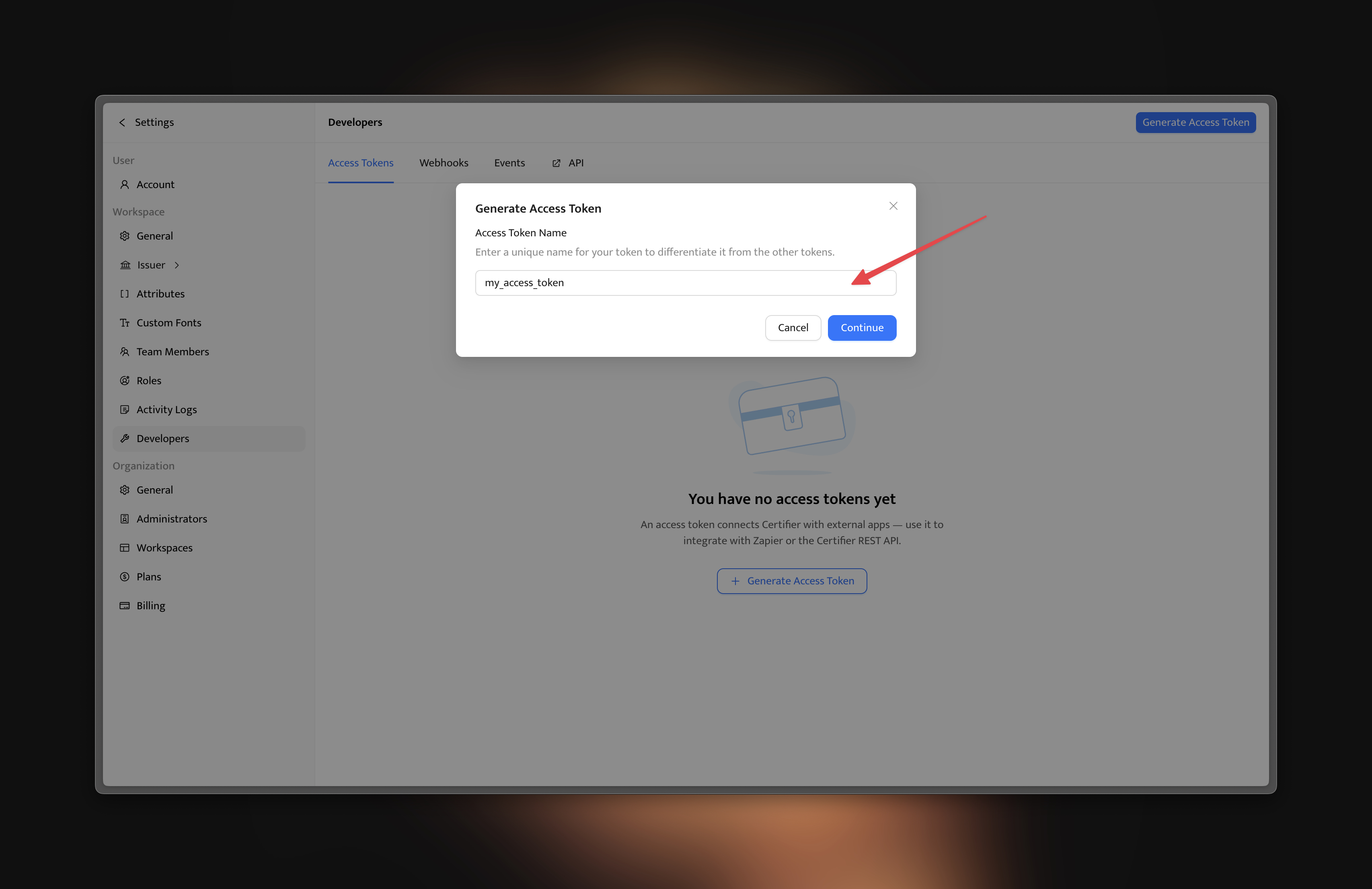
3. Provide a descriptive name
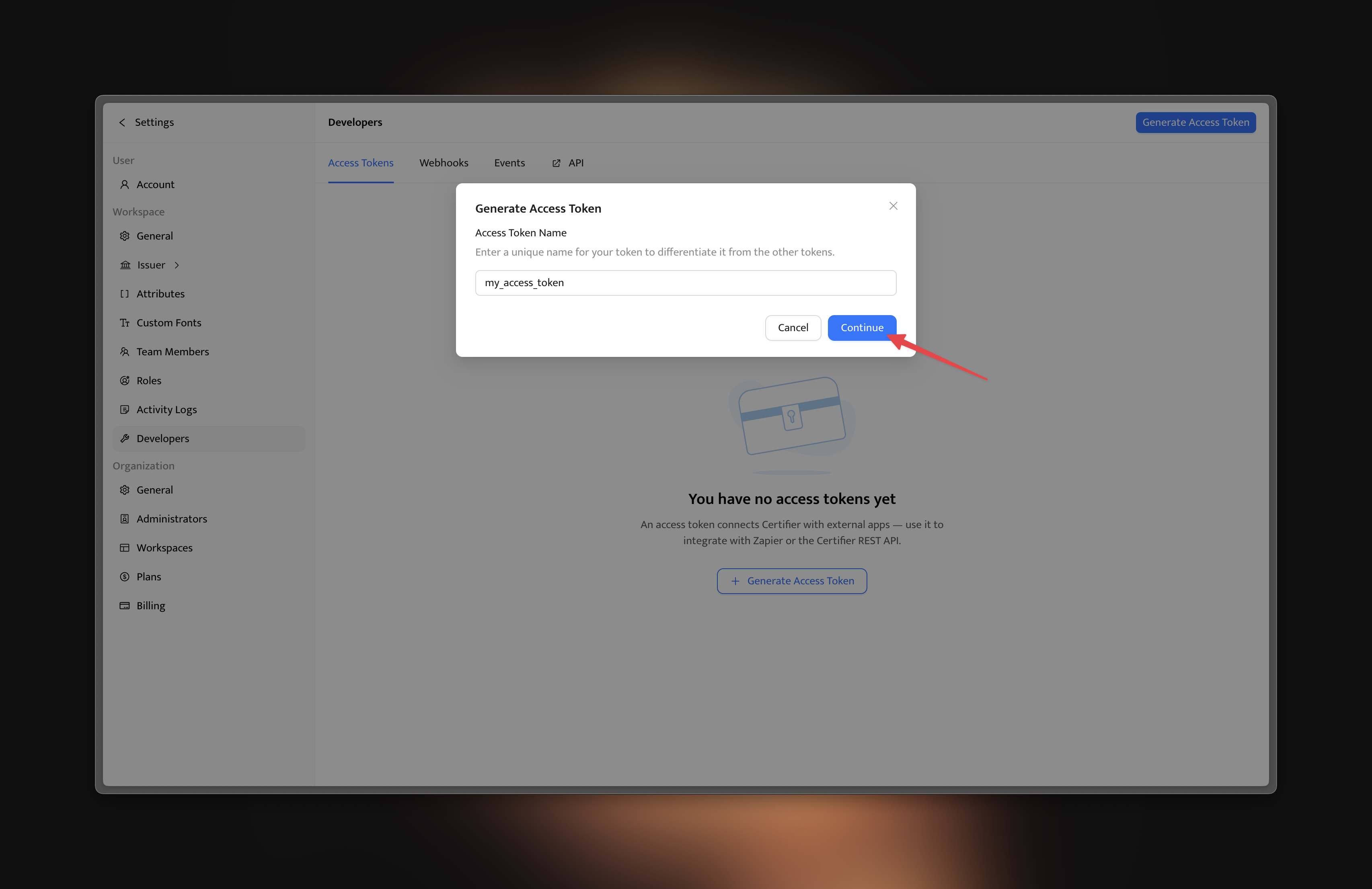
4. Click Continue
5. Copy the token (it will not be visible again)
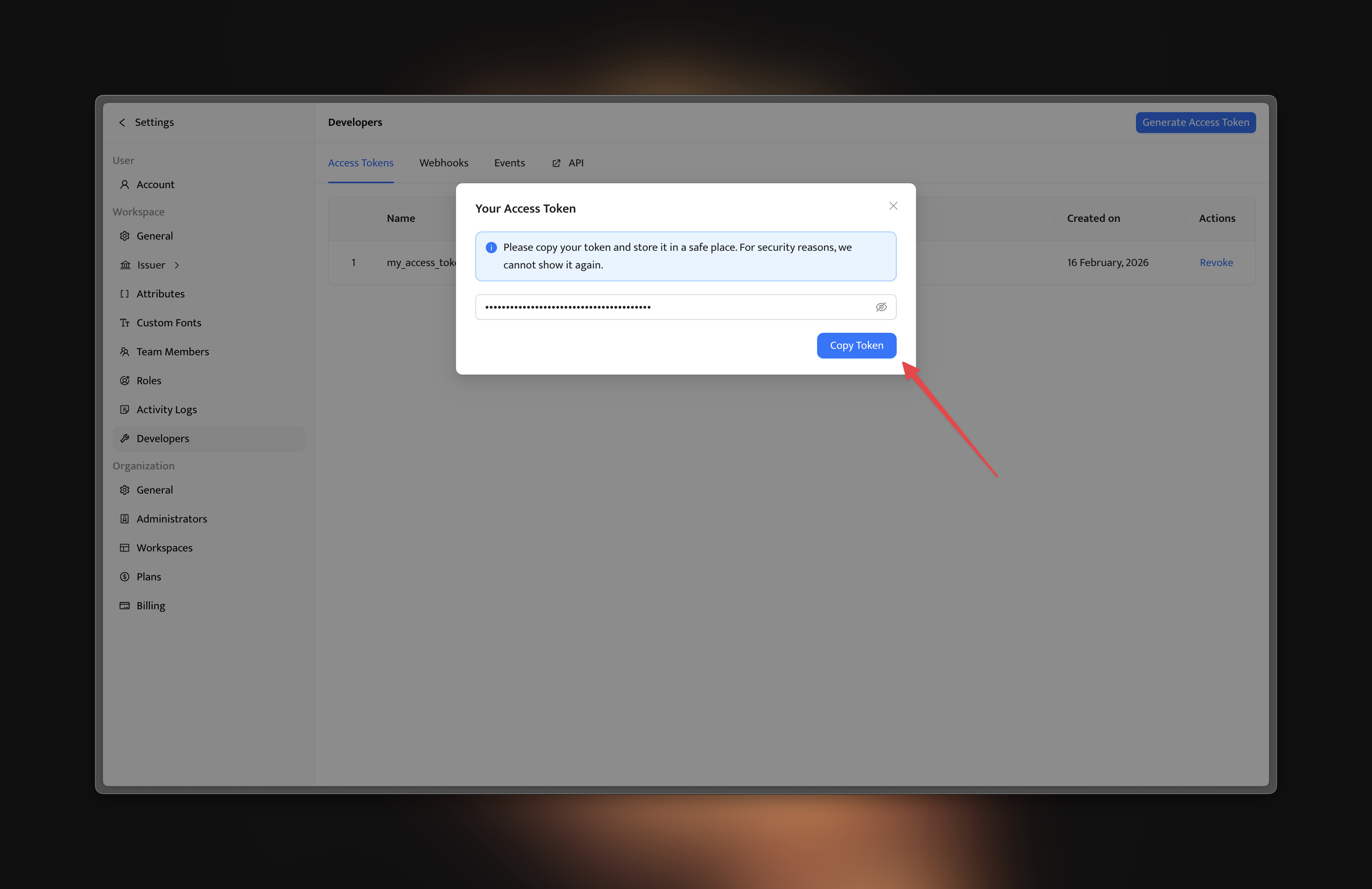
Now you can use your access token to authenticate and use the Certifier API:
curl https://api.certifier.io/v1/credentials \
  -H "Authorization: Bearer ACCESS_TOKEN" \
  -H "Certifier-Version: 2022-10-26"
Warning
Treat your tokens like passwords and keep them secret. When working with the API, use tokens as environment variables instead of hardcoding them into your programs.